
Businesses today don’t struggle with attracting traffic. They struggle with converting it. Static forms, delayed responses, and generic popups no longer meet user expectations. This is where a modern chatbot builder becomes essential—not as a gimmick, but as a practical tool for real conversations. Landbot positions itself as a no-code platform that helps businesses create chatbots for websites, WhatsApp, and Facebook Messenger using a visual flow builder. It promises simplicity without sacrificing control and AI without chaos. But does it deliver on that promise? This in-depth Landbot review breaks down how the platform works, where it shines, where it falls short, and whether it’s worth your time and budget.
What Is Landbot?
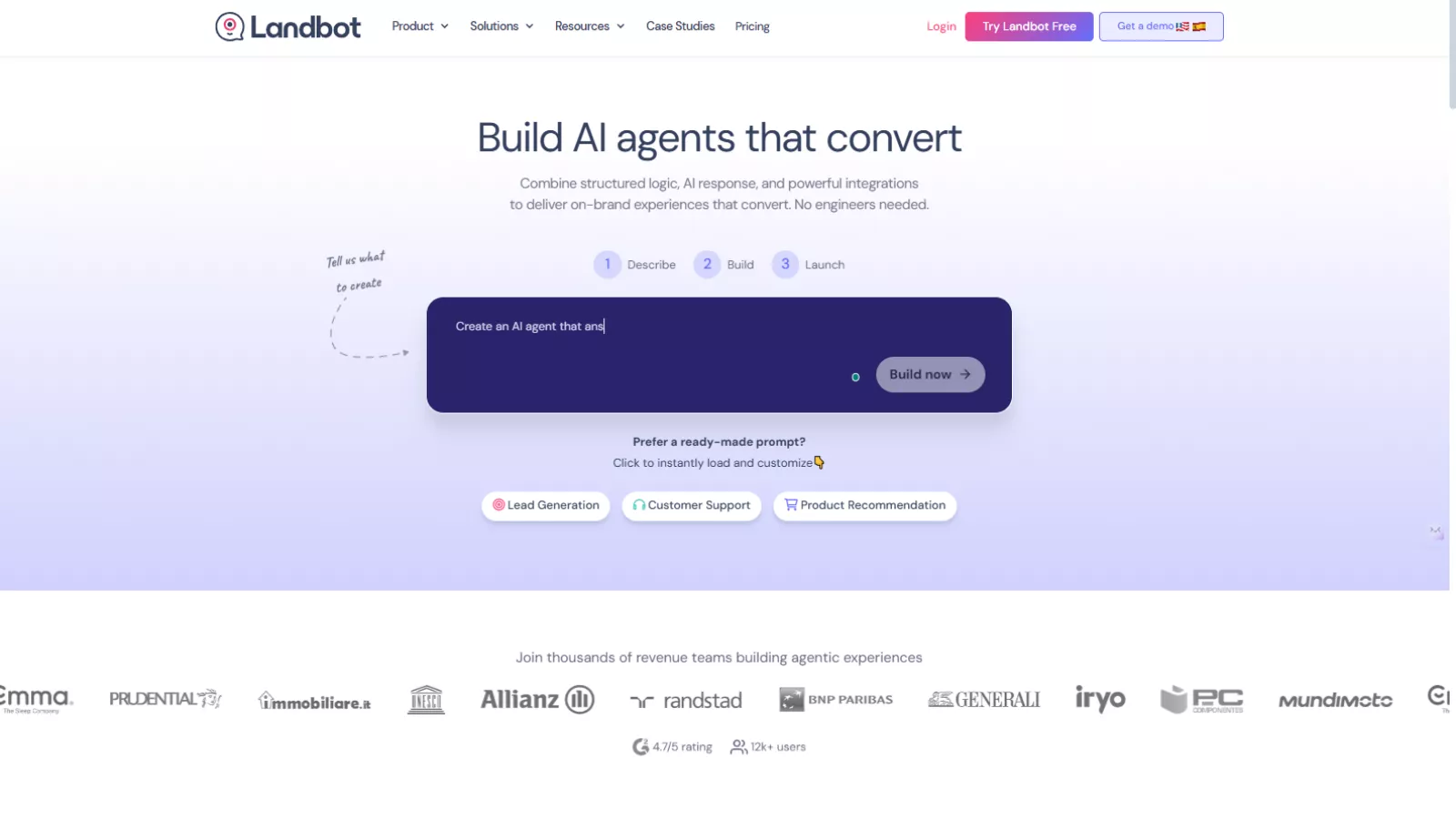
Landbot is a no-code conversational automation platform designed primarily for marketing teams, agencies, and growing businesses. It allows users to build interactive chatbots using a visual drag-and-drop interface rather than writing code.
You can deploy these bots on:
- Websites (as chat widgets or full conversational pages)
- WhatsApp (via the official WhatsApp Business API)
- Facebook Messenger
What separates Landbot from many other chatbot tools is its hybrid approach. Instead of forcing users to choose between rigid rule-based flows or fully AI-driven bots, Landbot combines structured logic with GPT-powered AI agents. This gives you flexibility while maintaining control over how conversations unfold.
From Dashboard to Deployment: How the Landbot Experience Comes Together?
The Landbot experience starts the moment you log in. At first glance, the dashboard can feel slightly busy, with templates, tutorials, bot previews, and creation options all visible at once. However, this initial density serves a purpose. Once you spend a few minutes inside the platform, the structure becomes clear and surprisingly intuitive.
Landbot gently guides users toward their next step, whether that’s:
- Creating a bot from scratch
- Using AI to generate a bot
- Starting from pre-built templates
Despite the range of options available, navigation remains logical. The interface prioritizes clarity over decoration, which makes it approachable even for users with no technical background. This ease of entry sets the tone for what comes next.
Visual Flow Builder: The Core of the Platform
Once you begin building, it becomes clear where Landbot truly shines. The visual flow builder is the heart of the platform and the main reason many teams choose it as their chatbot builder.
Instead of configuring logic through complex menus, you build conversations on a canvas. Each action—asking a question, displaying a message, collecting input, or triggering an integration—appears as a block. These blocks connect visually, much like mapping out a conversation on a whiteboard.
This design makes it easy to:
- Create complex conversational paths
- Understand the full user journey at a glance
- Edit flows without accidentally breaking logic
Small usability details elevate the experience further. Drag-and-drop connections, keyboard shortcuts, and instant previews make the builder feel fluid rather than technical. You can even preview your chatbot in both desktop and mobile views at the same time, helping you catch formatting issues early.
Creating Chatbots Without Code—and With It, If Needed
The visual builder naturally leads into one of Landbot’s biggest strengths: accessibility. You don’t need development experience to create a functional chatbot.
A basic bot can easily:
- Greet visitors
- Ask qualifying questions
- Offer button-based replies
- Collect contact information
- Route users based on responses
As your chatbot grows more advanced, you can layer in conditional logic. For example, users who indicate a higher budget can be routed to a premium flow, while others see a different path. These conditions are configured visually, without scripting.
That said, Landbot doesn’t limit advanced users. Custom JavaScript, API calls, and webhooks are available for teams that need deeper integrations or custom logic, making the platform flexible as requirements evolve.
AI Agents: Adding Intelligence Without Losing Control
Once the structure is in place, AI becomes a natural extension rather than a replacement. Landbot’s AI agents are designed to be controlled, not unpredictable.
Instead of allowing AI to respond freely, you define clear boundaries by providing:
- Website content
- Uploaded documents
- Specific instructions and goals
The AI then answers user questions using only that context. You can also decide exactly when the AI should step in and when the conversation should return to a structured flow or a human agent.
This hybrid approach makes AI suitable for real business scenarios such as FAQs, pre-sales questions, and basic customer support. While AI responses may take slightly longer than rule-based messages, the delay is minimal and generally expected.
Multichannel Deployment: Reaching Users Where They Are
With your chatbot built and trained, the next step is deployment. Landbot supports multiple channels, each serving a different role in the customer journey.
On websites, chatbots can be embedded as:
- A standard live chat widget
- A full-screen conversational landing page
- A pop-up or iframe
This flexibility allows businesses to replace static forms with interactive conversations, often improving engagement and completion rates.
WhatsApp integration is another major strength. Using the official WhatsApp Business API, businesses can automate conversations, campaigns, and support flows at scale. Facebook Messenger is also supported, though its marketing capabilities are more limited compared to WhatsApp.
Live Chat and Human Handoff
Automation works best when it knows its limits. Landbot includes built-in live chat, allowing seamless transitions from bot to human when needed.
During a handoff:
- Agents see the complete chat history
- All collected user data is visible
- Conversations can be assigned, tagged, or closed
The unified inbox works across web and WhatsApp, reducing the need to juggle multiple tools. Mobile app access further adds flexibility for teams handling conversations on the move.
Customization, Personalization, and Optimization
To ensure chatbots feel like part of your brand, Landbot offers extensive customization options for web-based bots. You can adjust colors, fonts, layouts, animations, avatars, and branding elements with precision.
Dynamic fields add another layer of personalization. By passing data through URLs, chatbots can greet users by name or adapt conversations based on campaign context. This is particularly useful for ads, email campaigns, and client-specific links.
Performance tracking ties everything together. Landbot’s analytics focus on clarity, showing chat volume, conversation trends, user data, and flow progression. Flow analytics reveal where users drop off or change direction, making it easier to refine conversations over time. While advanced reporting may feel limited for large enterprises, the insights provided are practical and actionable.
Landbot Pricing and Value
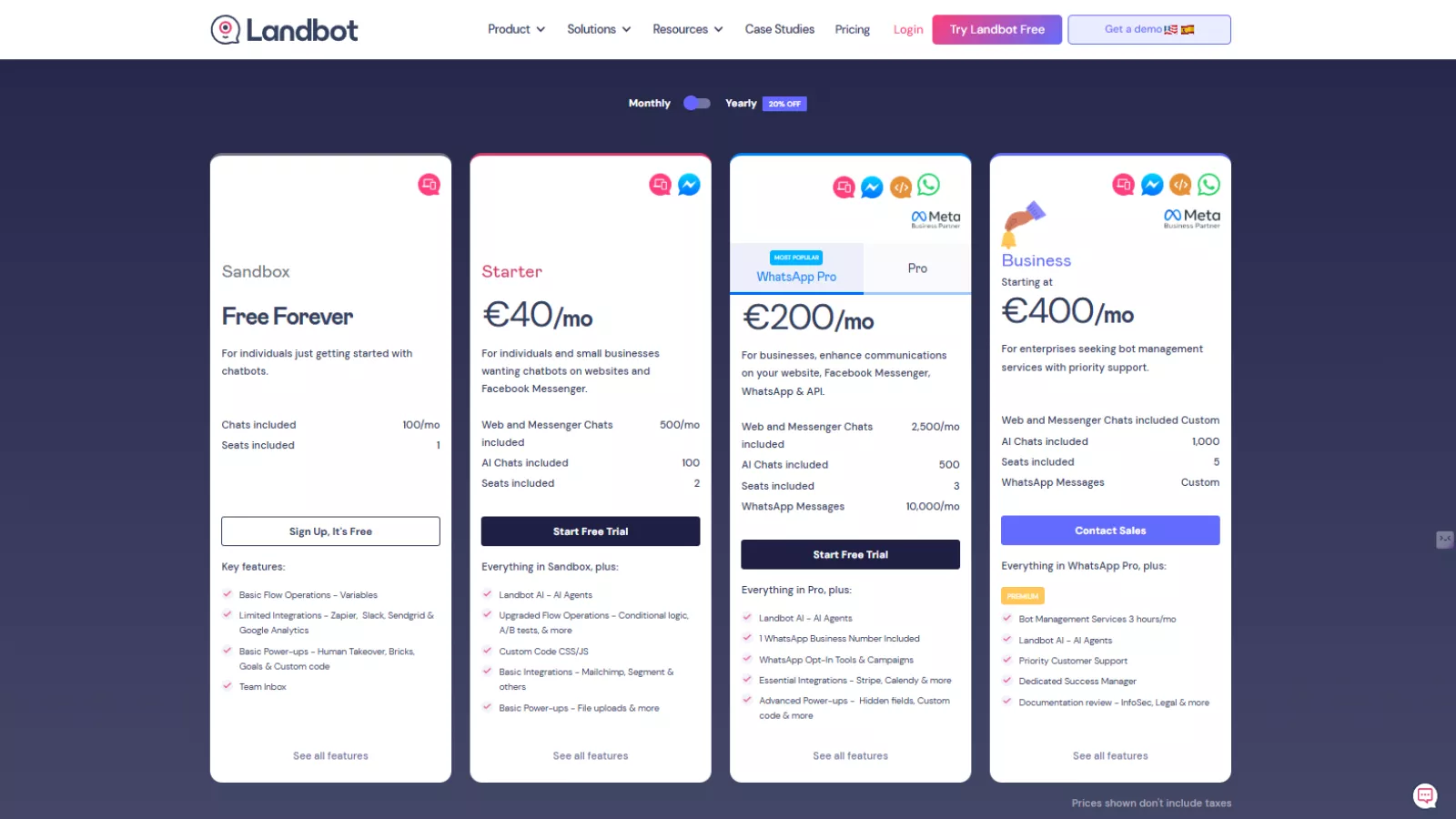
Landbot’s WhatsApp pricing is clearly positioned for businesses that are serious about conversational automation rather than casual experimentation. WhatsApp access starts with the WhatsApp Pro plan at €200/month, which includes 10,000 WhatsApp messages, 2,500 web and Messenger chats, and support for AI-powered conversations. This plan is best suited for growing businesses that rely on WhatsApp as a primary customer communication channel and need reliable automation at scale.
For larger teams and enterprises, the Business plan starting at €400/month offers custom WhatsApp messaging limits, higher AI chat capacity, priority support, and a dedicated success manager. While the pricing may feel high compared to basic chatbot tools, it reflects the added complexity of WhatsApp Business APIs, Meta partnership benefits, and advanced integrations.
Overall, Landbot’s WhatsApp pricing is not budget-focused. It’s designed for companies that want structured, compliant, and scalable WhatsApp chatbot solutions rather than low-cost experimentation.
Pros and Cons at a Glance
Pros
- Intuitive visual chatbot builder
- Hybrid AI with structured control
- Web, WhatsApp, and Messenger support
- Live chat with seamless handoff
- Strong customization and personalization options
Cons
- WhatsApp and AI pricing can be expensive
- Limited segmentation for web and Messenger bots
- Analytics are basic compared to enterprise tools
- Minor UX issues, like a lack of form autosave
Top Landbot Alternatives Worth Considering
While Landbot is a capable chatbot builder, it may not fit every business model or budget. Depending on your needs—pricing flexibility, AI depth, or channel focus—these alternatives are worth exploring.
Tidio
A beginner-friendly chatbot builder combining live chat and automation, ideal for small businesses and ecommerce stores.
ManyChat
Best suited for Instagram and Facebook automation, offering strong campaign tools but limited flexibility outside Meta channels.
Chatfuel
A popular choice for rule-based bots on Messenger and WhatsApp, though advanced customization often requires paid add-ons.
Botpress
An open-source chatbot builder designed for developers who want full control over logic, AI models, and deployments.
Intercom
A customer messaging platform with AI-powered bots, better suited for support-driven teams than marketing-focused use cases.
Final Verdict: Is Landbot Worth It?
Landbot is a strong choice for teams that want to create chatbots without technical complexity while still retaining control over conversations. It works especially well for marketing teams, agencies, and businesses, replacing forms with interactive experiences.
However, it’s not ideal for everyone. If your strategy relies heavily on large-scale WhatsApp automation or deep AI-driven conversations, the pricing may outweigh the benefits.
As a chatbot builder, Landbot succeeds where it matters most: usability, flexibility, and real-world application. For many businesses, that balance is exactly what makes it worth considering.