
If you’ve worked remotely—or honestly, even attended an online class—you’ve used Zoom at least once. It’s the tool that went from “just another meeting app” to the default way people talk when they’re not in the same room. But now that dozens of competitors have stepped up, the real question is simple:
Is Zoom still worth using in 2026?
I spent weeks using it for meetings, webinars, recordings, screen-sharing sessions, and team calls—and this Zoom review breaks down everything you need to know before you commit.
Let’s start with the basics.
What Is Zoom?
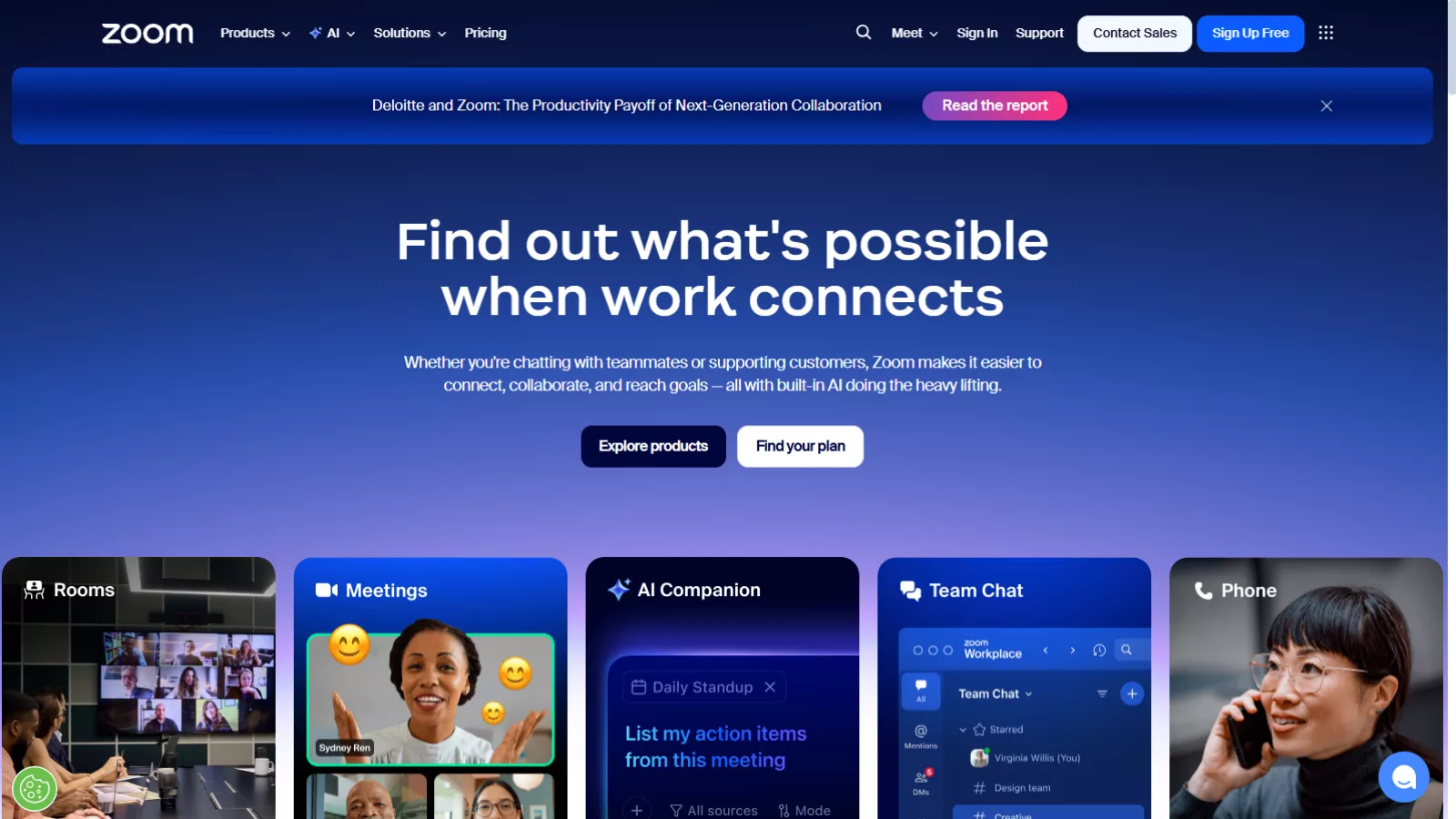
Zoom is a cloud-based communication platform that lets you host:
- Online meetings
- Video calls
- Webinars
- Virtual events
- Conference room sessions
- Team chats
- Screen-sharing and collaboration sessions
If you’re new to it, the platform is simple. You create an account (a quick Zoom login, usually via email or Google), create a meeting link, and share it. That’s the core of it.
But Zoom today is far more than “just meetings.” It has evolved into a full suite for hybrid work—complete with AI features, virtual collaboration, enterprise-grade security, and powerful event tools.
Key Features: What Zoom Offers Today
After using Zoom extensively, here are the features that genuinely stand out:
1. Zoom Meetings (The Core Experience)
This is what Zoom is famous for. A Zoom meeting offers:
- HD audio and video
- Layout options (gallery, speaker view, immersive view)
- Screen sharing with annotation tools
- Whiteboard
- Breakout rooms
- Waiting rooms
- Polls and reactions
- In-meeting chat
- Host controls and permissions
The UI is clean, simple, and predictable—even for people who aren’t very tech-savvy.
2. Zoom AI Companion
It now includes an AI assistant that can:
- Summarize meetings
- Generate meeting notes
- Provide action items
- Help draft messages
- Catch you up on discussions you missed
- Improve clarity and remove filler words in your spoken audio
And the best part? It works in real time, without feeling intrusive.
3. Webinar & Events Hosting
Zoom Events is surprisingly good for hosting:
- Webinars
- Workshops
- Product launches
- Training sessions
- Virtual conferences
You get registration pages, analytics, backstage mode, and livestreaming options.
4. Team Chat
Zoom also includes an internal chat system similar to Slack or Teams.
- Channels
- File sharing
- Reactions
- Threaded messages
- Integrations
If you’re already using Zoom for meetings, this replaces your need for an external chat app.
5. Phone System (Zoom Phone)
If you need business calling features:
- Call routing
- Call queues
- Voicemail transcription
- Forwarding
- Call analytics
Zoom Phone works beautifully inside the same interface.
6. Whiteboards & Collaboration
Zoom’s interactive whiteboards let your team brainstorm in real time.
Ideal for:
- Designers
- Agencies
- Product teams
- Remote classrooms
It feels more fluid and intuitive than many standalone whiteboard tools.
7. Integrations
It integrates with everything:
- Google Workspace
- Microsoft Teams
- Slack
- Salesforce
- HubSpot
- Calendly
- Notion
- Zapier
Basically, whatever you’re using, Zoom plugs into it.
My Experience Using Zoom
Here’s the honest truth: It still has one of the smoothest video-conferencing experiences out there.
Even on weaker networks, audio stays clear, screens share smoothly, and video doesn’t turn into a pixelated mess. I tested it during a heavy rainstorm on a 15Mbps connection—and the meeting still held up.
I hosted a few client calls, internal team discussions, and a webinar. The platform handled everything consistently:
What I Loved in My Experience
- Joining is instant—no complicated steps.
- Screen sharing never lags, even with multiple participants.
- Breakout rooms are extremely easy to manage.
- The AI summaries were shockingly accurate.
- Participants who weren’t tech-savvy understood it immediately.
What Could Be Better
- The interface still feels “corporate” compared to newer platforms.
- You need to install the desktop app for full functionality.
- Some advanced features are buried behind menus.
- The free plan cuts out at 40 minutes for group calls.
Overall: solid, reliable, predictable—the core reasons Zoom became popular in the first place.
Pros and Cons — Zoom Review at a Glance
Pros
✔ Smooth, reliable video quality
✔ Easy-to-use interface
✔ Strong host controls
✔ Best-in-class screen sharing
✔ Excellent for large webinars
✔ Strong AI features
✔ Great integrations
✔ Works well even on low bandwidth
Cons
✖ 40-minute limit on free group meetings
✖ Can feel slightly outdated in design
✖ Many features require paid plans
✖ Needs app installation for best use
✖ Privacy controversies in the past (now largely resolved)
Zoom Pricing Review (Annual Plans)
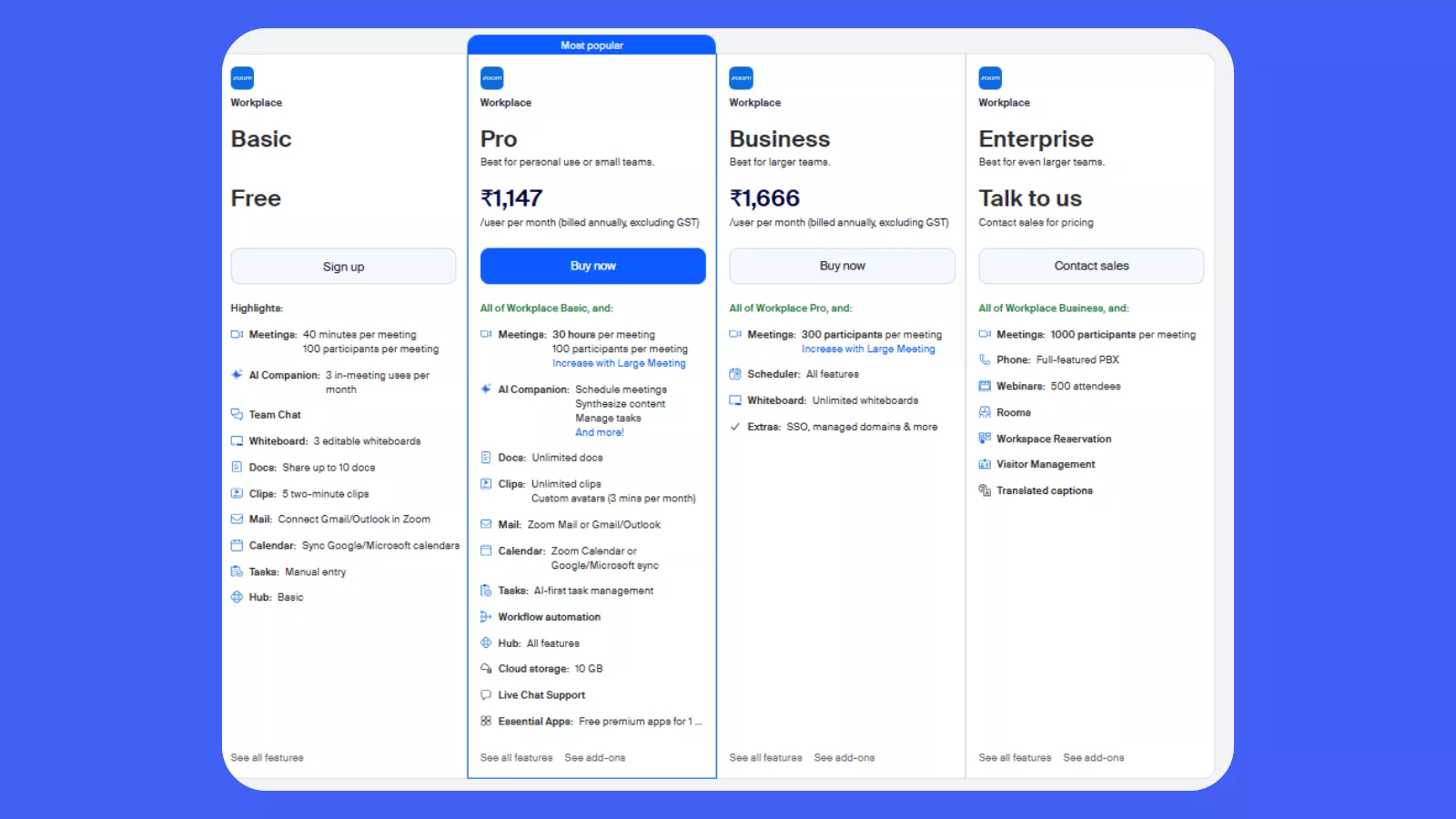
Zoom’s annual pricing feels fair for the value it offers. The Basic plan is free, ideal for short meetings. The Pro plan at $13.80/user/month adds longer meetings, unlimited docs, and workflow tools—good for individuals and small teams. The Business plan at $20.10/user/month scales up with 300-participant meetings, unlimited whiteboards, and SSO. For large organizations, Enterprise pricing is custom, adding webinars, full PBX, and advanced workspace features. Overall, Zoom’s pricing is transparent, flexible, and aligned with different team sizes.
Is Zoom Worth It? (My Verdict)
If your work depends on consistent virtual meetings, it still delivers the most stable, predictable, and professional experience.
It’s not the flashiest tool anymore, but it’s the most reliable—and in the world of remote communication, reliability beats everything.
Who Zoom Is Perfect For
- Remote teams
- Educators
- Coaches & consultants
- Event hosts
- HR teams
- Agencies
- Freelancers who meet clients often
Who Might Not Need Zoom
- People who only need occasional personal calls
- Teams already using Teams or Google Meet
- Users who prefer fully browser-based tools
Overall, this Zoom review comes down to one sentence:
Zoom is still one of the best video meeting tools —especially if you want reliability, simplicity, and strong AI support.
5 Best Alternatives To Zoom
If Zoom doesn’t feel like the right fit, here are strong competitors:
1. Google Meet
- 100% browser-based
- Integrates seamlessly with Gmail & Google Workspace
- Great for quick calls
Perfect if your team is already deep into Google apps.
2. Microsoft Teams
- Built for enterprise
- Chat + meetings combined
- Deep Microsoft Office integration
Ideal for companies already using Office 365.
3. Webex by Cisco
- Strong security
- Robust meeting tools
- Great for hybrid workplaces
Often preferred by larger, security-focused organizations.
4. Zoom’s closest rival: Whereby
- Browser-first
- No downloads
- Clean, modern interface
A favorite among startups and small teams.
5. GoToMeeting
- Simple
- Reliable
- Lightweight
Good for small businesses that want something straightforward.
Conclusion
Zoom continues to stand out because it solves real communication problems without overcomplicating things. Whether you’re joining a quick meeting, logging in for remote work, or managing cross-team collaboration at scale, the platform feels reliable, fast, and thoughtfully built. Its AI upgrades, flexible pricing, and powerful integrations make it suitable for individuals, startups, and enterprise teams alike. While competition exists, Zoom’s balance of usability and advanced features keeps it ahead for most businesses. If your workflow depends on clear communication and smooth collaboration, it remains one of the strongest tools to consider.
FAQs
1. Is Zoom safe to use for business meetings?
Yes. it now includes end-to-end encryption for meetings, granular admin controls, authentication options, and improved compliance features for regulated industries.
2. Do I need an account to join a Zoom meeting?
No. Anyone can join a Zoom meeting through an invite link without logging in. You only need an account if you want to host a meeting.
3. Can Zoom handle large webinars or events?
Absolutely. It supports large meetings of up to 1,000 participants and webinars with up to 50,000 attendees through add-ons.
4. Is Zoom AI Companion free?
AI Companion is included in most paid plans at no extra cost and offers meeting summaries, chat replies, task generation, and more.